Runbooks and workflows on Power Automate
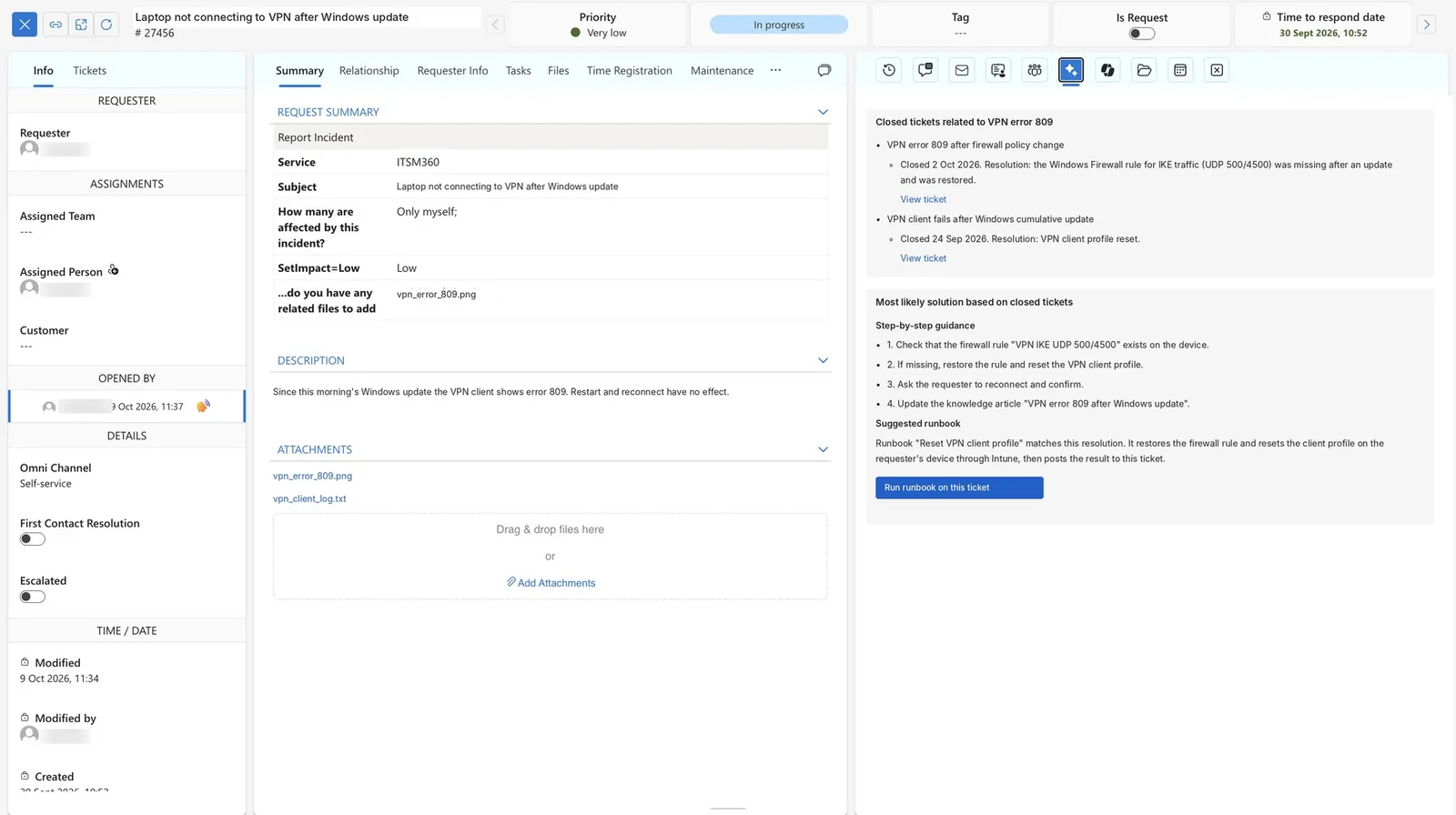
ITSM360 runs its workflows on Power Automate, the tool your Microsoft team already knows. Agents start runbooks from a ticket, or they run automatically per ticket type. Every run is logged on the ticket.
Key capabilities
All service data sits in your tenant. A flow can therefore move from a service request into Intune, Entra ID, HR systems and purchasing without leaving your environment.
 Runbooks on tickets
A named runbook is linked to a Power Automate flow. An agent triggers it manually, or it runs automatically for a ticket type.
 Logged on the ticket
Every execution is recorded on the ticket with a link to the flow run, so you can see what ran and when.
 From suggestion to action
Smart Resolve proposes the runbook that matches a resolution. The agent approves, the flow runs and the result is logged on the ticket.
 Approvals in Teams
Pre-built approval flows let approvers decide in Microsoft Teams.
 Intune to the CMDB
A standard Intune flow brings devices into the CMS once you have set its parameters. Entra ID users and groups come in the same way.
 Automation catalogue
Building blocks from customer projects cover SLA management, routing and escalation, repetitive tasks, AI-driven reporting and translation.
 Connectors for the data model
Custom Power Automate connectors for tickets, CIs and assets update a record in one step.
Automation extends these ITSM360 core products with Power Automate workflows.



See ITSM Automation in action
Book a demo and we will show you how Power Automate turns manual ITSM work into automated workflows.
Request a demo